Where is Blogging in Microsoft OneNote 2010 and 2013?
- Easy to find Blogging in Outlook 2010 if you are using Classic Menu for Office
- If you have not Classic Menu for Office (Method: On the File tab)
Microsoft OneNote 2010 and 2013 allow you to select any parts of your OneNote to publish as blog, as long as you have Microisoft Word 2010/2013/2016/2019 installed on the same computer and get a registered blog account. Where is the blogging function in the new ribbon of OneNote 2010/2013? This artcle will tell you how to find blog in various ways.
 |
How to Bring Back Classic Menus and Toolbars to Office 2007, 2010, 2013, 2016, 2019 and 365? |
If you are using Classic Menu for Office...
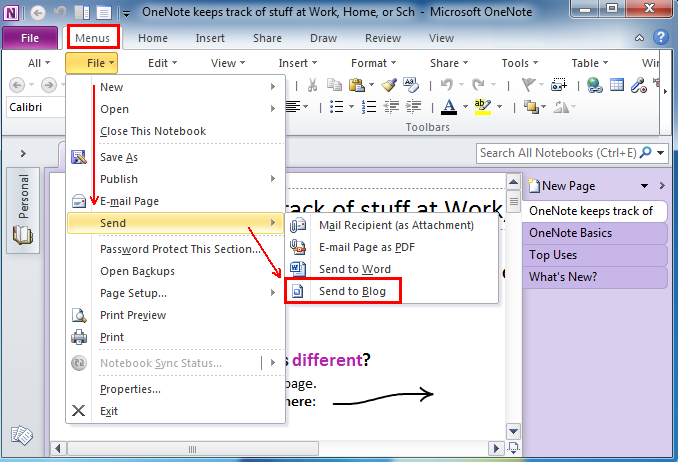
Method A: On the Menus tab, click File menu and it brings up a drop-down menu. Click Send, and you can see Send to Blog at the bottom.
See it below:
Method B: On the Menus tab, click File menu and it brings up a drop-down menu. Click Publish, and you can see Send to Blog below Publish as PDF or XPS from the Publish menu.
See it below:
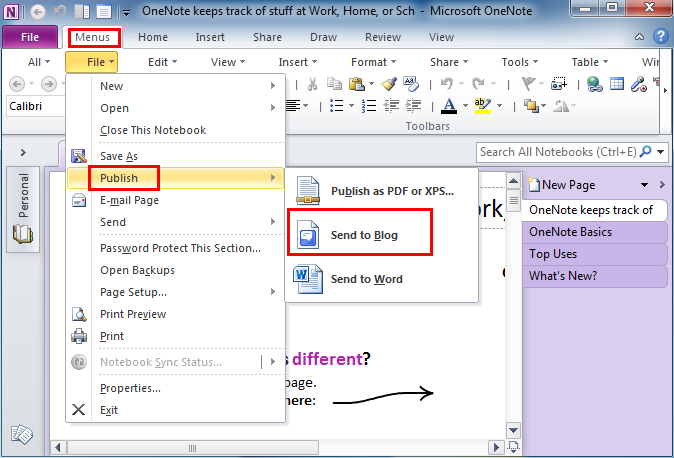
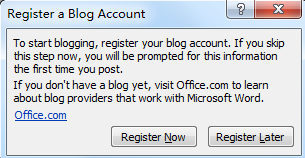
Click Send to Blog after you select the parts of OneNote, Microsoft Word 2010 will launch and the Register a Blog Account window will appear if you have not a registered account.
- Specify your blog provider
- Click Register Now button, and follow the steps in the wizard.
- In the Word document that is created, click Publish to send your notes to your registered blog site.

If you have not using Classic Menu for Office...
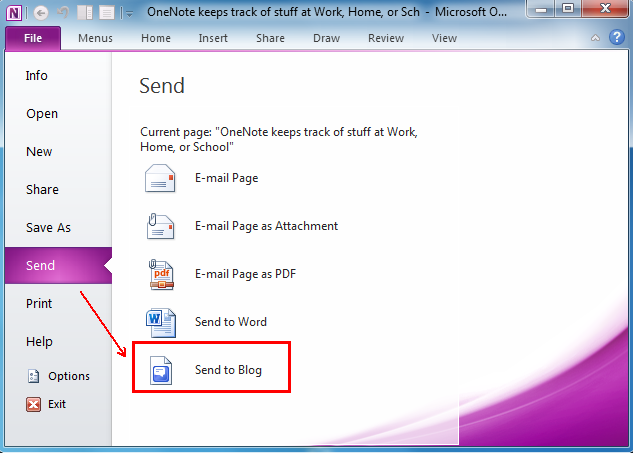
In Microsoft OneNote 2010/2013, click the File tab, select the Send tab and you can see the Send to Blog command at the bottom.
See it below:
Note that the blogging feature supports Windows Live Spaces, Blogger, SharePoint blog, Microsoft Community Server, TypePad and WordPress.
Classic Menu for Office
Brings the classic menus and toolbars back to Microsoft Office 2007, 2010, 2013, 2016, 2019 and 365. You can use Office 2007/2010/2013/2016 immediately and efficiently, and don't need any trainings or tutorials when upgrading to Microsoft Office (includes OneNote, Word, Excel and other programs) 2007, 2010 or 2013.
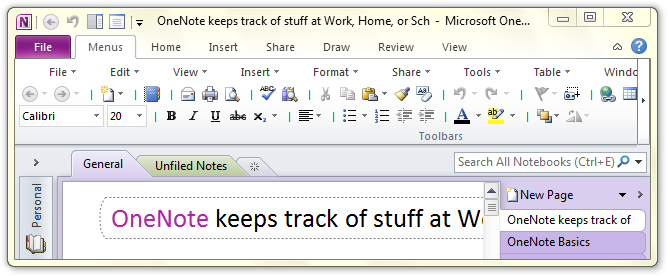
Classic Menu for OneNote 2010
Free Download, Full Features!
Classic Menu for OfficeIt includes Classic Menu for Word, Excel, PowerPoint, OneNote, Access, Outlook, Publisher, InfoPath, Visio and Project 2010, 2013, 2016, 2019 and 365.
|