Where is Export in Microsoft Outlook 2010 and 2013?
- It is much easier to find Export in Outlook 2010/2013/2016/2019 if you are using Classic Menu for Office
- If you have not Classic Menu for Office (Method: In Outlook Options)
Most Outlook information like Contacts can be exported to a file, so that you can use this file imported into other applications, like Web mail clients, Excel spreadsheets, or database applications. Then where to find Export in Microsoft Outlook 2010 and 2013?
 |
How to Bring Back Classic Menus and Toolbars to Office 2007, 2010, 2013, 2016 and 365? |
If you are using Classic Menu for Office...
It may bring trouble for some people to search commands and icons in new ribbon before they are familiar with Office 2010/2013. Now, with Classic Menu software, you can find back classic menus and toolbar of Outlook 2003/XP(2002)/2000.
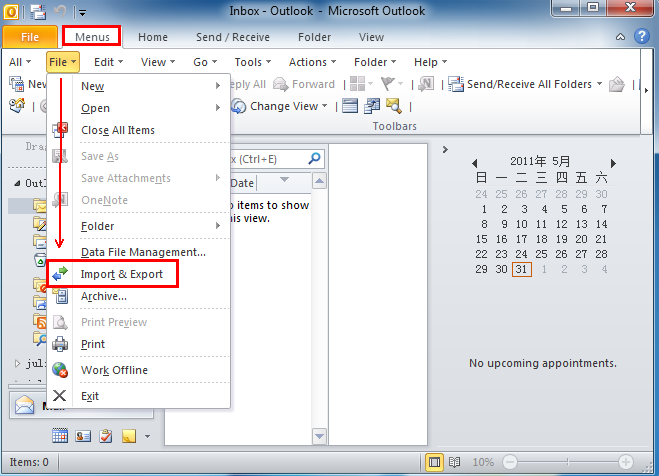
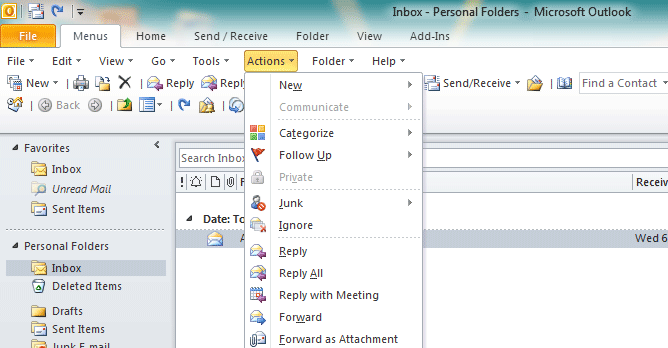
On the Menus tab, click File menu and then you can see Import & Export from the File drop-down menu.
See it below:

If you are not using Classic Menu for Office...
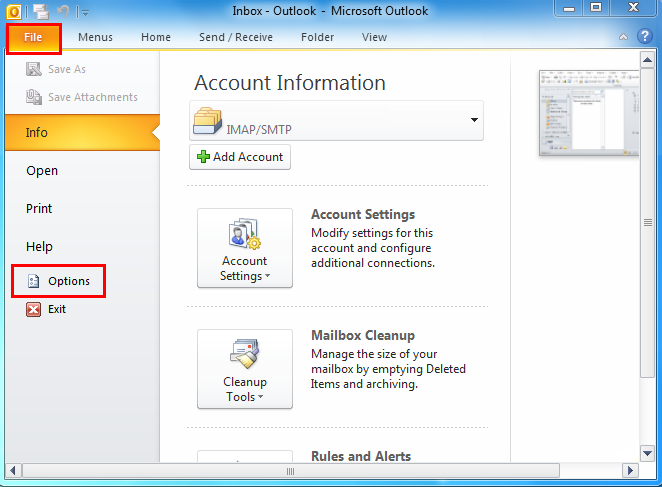
1. In Microsoft Outlook 2010/2013, Click the File tab, ans then click Options to bring up the Outlook Options window.
See it below:
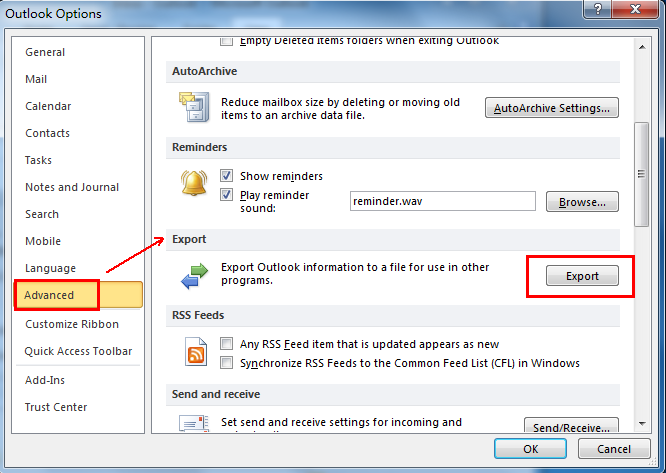
2. In Outlook Options window, click Advanced, you will see Export option at the right pane.
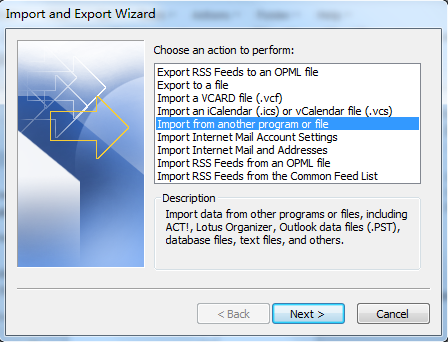
3. Click Export button, it will bring up the Import and Export Wizard window. If you want to export pst file or CSV file in other programs, click Export to a file, and click Next by following the Wizard guide.
What is Classic Menu for Office/Outlook
Brings the familiar classic menus and toolbars back to Microsoft Office 2007, 2010, 2013, 2016, 2019 and 365, helps users get through the transition from Office 2003 (or 2002, 2000) to Office 2007, 2010 or 2013, and saves your money and energy on training if you are upgrading your Office.
Classic Menu for OfficeIt includes Classic Menu for Word, Excel, PowerPoint, Access, Outlook, OneNote, Publisher, InfoPath, Visio and Project 2010, 2013, 2016, 2019 and 365.
|
||
 |
Classic Menu for Office 2007It includes Classic Menu for Word, Excel, PowerPoint, Access and Outlook 2007.
|