Where is the UML Model Diagram in Microsoft Visio 2007, 2010, 2013, 2016, 2019 and 365
 |
How to Bring Back Classic Menus and Toolbars to Office 2007, 2010, 2013, 2016, 2019 and 365? |
The UML can be easily found If you are using Classic Menu for Office...
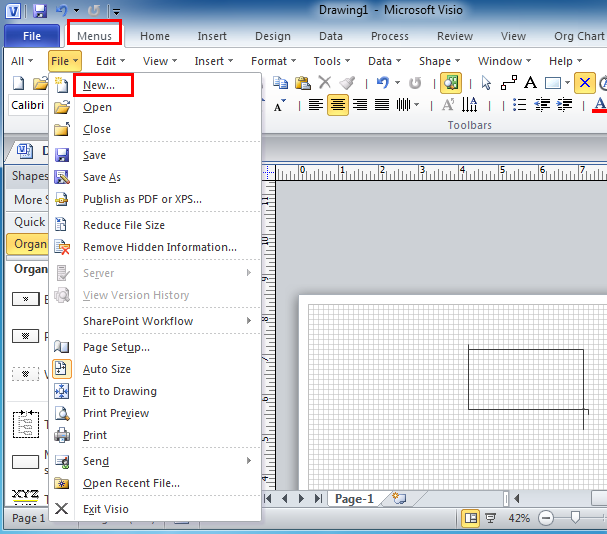
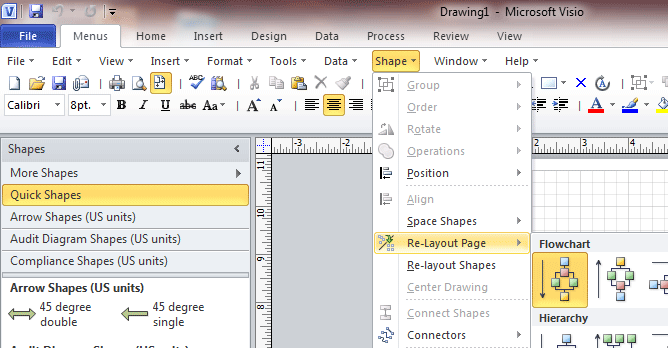
With Classic Menu software, you can view the classic style interface of Visio 2007 and Visio 2003 in Microsoft Visio 2010 and 2013. First, go to Menus tab, click File and from the drop-down menu click New item.
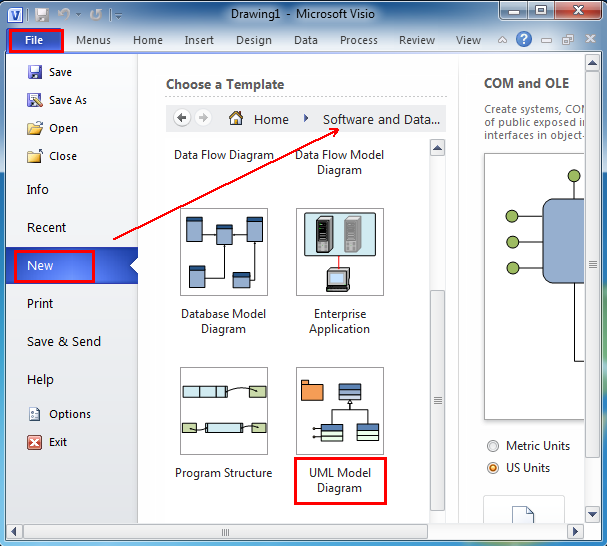
Then, it brings back to the New item under the File tab. Please choose to click the Software and Database option from the Choose a Template panel.
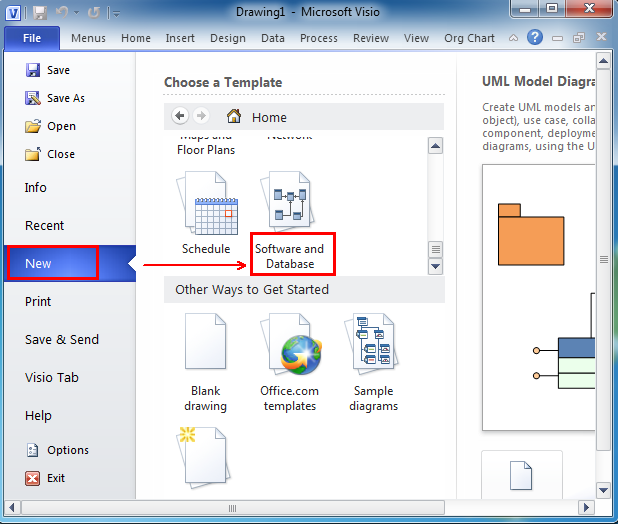
After you click Software and Database, you can see the UML Model Diagram appearing under the Software and Database template.

If you have not using Classic Menu for Office...
Visio 2007
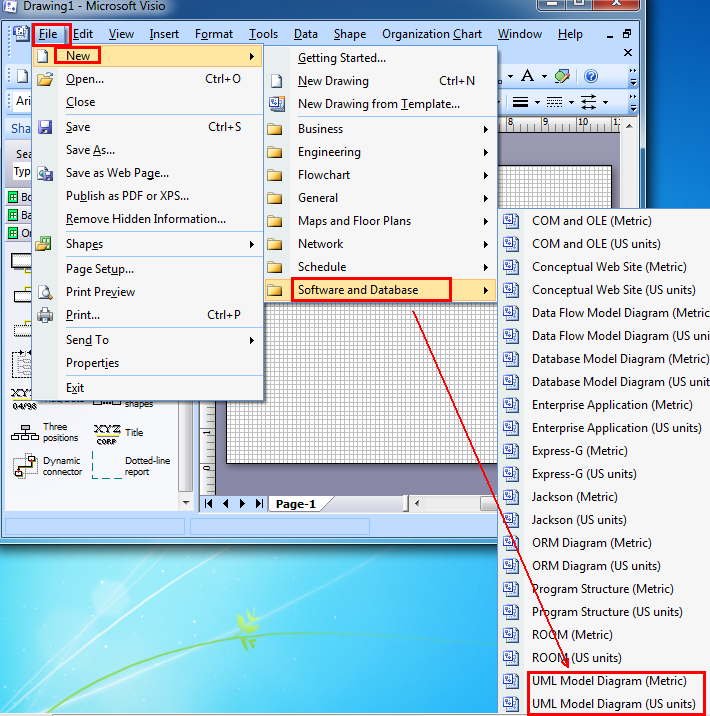
In Microsoft Visio 2007, you can find UML Model Diagram by following like this: Click File > New > Software and Database > UML Model Diagram (Metric) / UML Model Diagram (US units).
Visio 2010 and 2013
In Microsof Visio 2010 and 2013, it is easy to find the UML Model Diagram by following. Please click File > New, and select "Software and Database", you will find UML model here.
What is Classic Menu for Office?
Classic Menu for Office 2010, 2013, 2016, 2019 and 365 is based on Micorsoft standard add-in technology, and designed for the users who are used to the interface of Office 2003/2002/2000. It shows the familiar classic menus and toolbars in Microsoft Office (includes Visio) 2010/2013, helps users get through the transition from 2003 to 2010, 2013, 2016, 2019 and 365, and saves money and time on training.
- All new features and commands of Visio 2010, 2013, 2016, 2019 and 365 have been added to the menus and toolbars;
- Without any training or tutorials after upgrading, users can work with Visio 2010/2013/2016 immediately.
Classic Menu for Office EnterpriseIt includes Classic Menu for Word, Excel, PowerPoint, OneNote, Outlook, Publisher, Access, InfoPath, Visio and Project 2010, 2013, 2016, 2019 and 365.
|