How to copy my custom files to other people's computers so that they can use my customization?
The custom files are stored in following folder (please replace *** with your user name):
Windows XP C:\Documents and Settings\***\Application
Data\AddinTools\ClassicMenu
Windows Vista C:\Users\***\AppData\Roaming\Addintools\ClassicMenu
Windows 7 C:\Users\***\AppData\Roaming\Addintools\ClassicMenu
The suffix name of these custom file is .adt. For example: the custom file of Word 2007 is Customize_Menu_Word.adt.
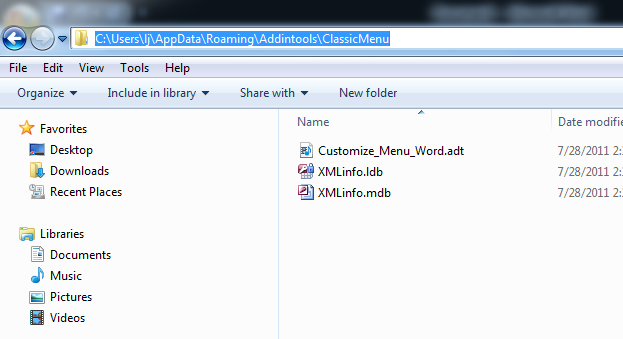
You can also copy these custom files to other people (only the Classic Menu for Office installed on their computers) so that they can use your customization.
You can backup these files so that restore them if your computer crashes.