Where is the Edit Links Command in PowerPoint 2007, 2010, 2013, 2016, 2019 and 365
Sometime the links are broken in Microsoft PowerPoint 2007/2010/2013/2016/2019 and need repair. The Edit Links Command in Microsoft PowerPoint 2007, 2010, 2013, 2016, 2019 and 365 is different from that in PowerPoint 2003.
 |
How to Bring Back Classic Menus and Toolbars to Office 2007, 2010, 2013, 2016, 2019 and 365? |
| Edit Links to Files | Edit Hyperlinks | |
 |
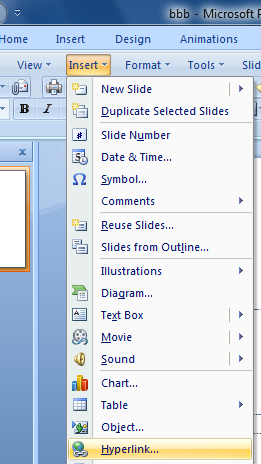 |
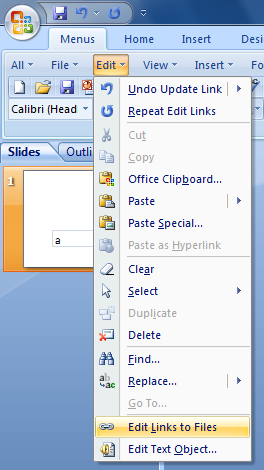
Edit Links to Files and Edit Hyperlinks on Classic Menus
Classic Menu for PowerPoint will enable you to edit links with the same way in that you did in Microsoft PowerPoint 2003.
Edit Links to Files:
- Click Edit > Edit Links to Files
Edit Hyperlinks:
- Select the hyperlink you want to edit;
- Click Insert > Hyperlinks.
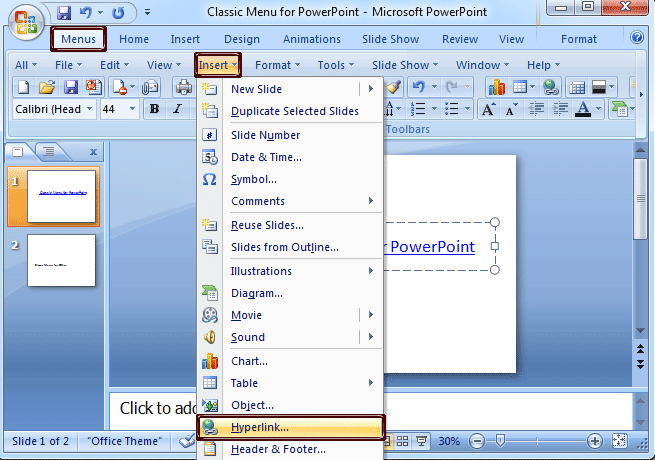
Figure 1
Edit Links to Files and Edit Hyperlinks on Ribbon (without Classic Menus)
The Edit Hyperlinks is easy to find if you have not installed Classic Menu. But the Edit Links to Files is difficult to find.
Edit Links to Files:
- Office 2007: click Office Button > Prepare > Edit Links to Files (on the bottom).
- Office 2010: sorry, the command is hidden and can't be find. Unless the classic Menu is installed.
Edit Hyperlinks:
- Select the link;
- Click the Insert tab;
- Go to the Links group;
- Click the Hyperlink button;
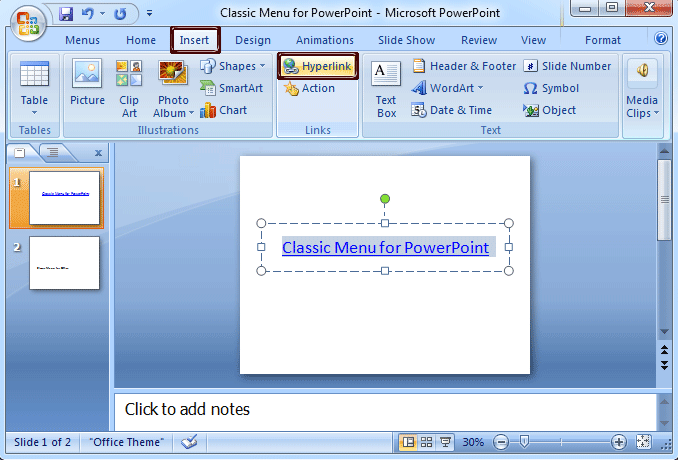
Figure 3

What is Classic Menu for Office
Brings your familiar classic menus and toolbars back to Microsoft PowerPoint 2007, 2010, 2013, 2016, 2019 and 365. You can use PowerPoint 2007/2010/2013/2016 immediately and efficiently, and don't need any trainings or tutorials when upgrading to Microsoft PowerPoint 2007, 2010, 2013, 2016, 2019 and 365.
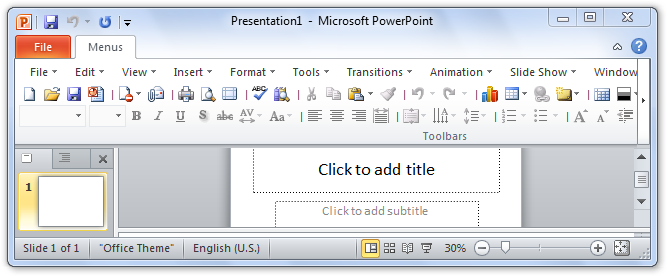
Classic Menu for OfficeIt includes Classic Menu for Word, Excel, PowerPoint, OneNote, Outlook, Publisher, Access, InfoPath, Visio and Project 2010, 2013, 2016, 2019 and 365.
|
||
 |
Classic Menu for Office 2007It includes Classic Menu for Word, Excel, PowerPoint, Access and Outlook 2007.
|