Where is Print Preview in Microsoft PowerPoint 2007, 2010, 2013, 2016, 2019 and 365
- Method A: Get Print Preview in classic toolbars if you have Classic Menu for Office
- Method B: Get Print Preview with classic menus if you have Classic Menu for Office
- If you do not have Classic Menu for Office...
 |
How to Bring Back Classic Menus and Toolbars to Office 2007, 2010, 2013, 2016, 2019 and 365? |
Quickly get Print Preview if you have Classic Menu for Office. Classic Menu for PowerPoint will bring you familiar classic styles menus and toolbars. With them you can get Print Preview in Microsoft PowerPoint 2010/2007 with the same way that you did in Microsoft PowerPoint 2003.
Method A: Get Print Preview in classic toolbars if you have Classic Menu for Office
After launching Microsoft PowerPoint 2010/2007, just click Print Preview button on classic style toolbar. Only one click is enough!
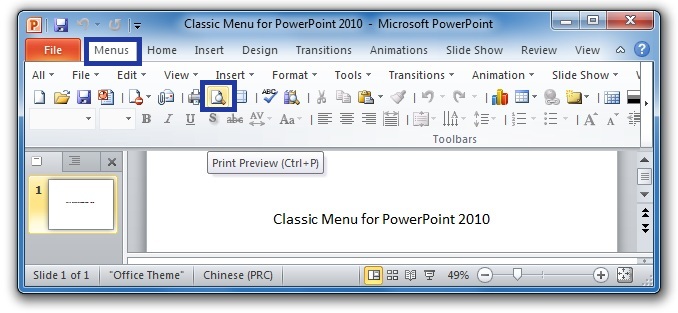
Figure 1
After click the Print Preview button, the PowerPoint 2007, 2010, 2013, 2016, 2019 and 365 interface will jump to the backstage view under File tab automatically. At right side you will view the preview area.
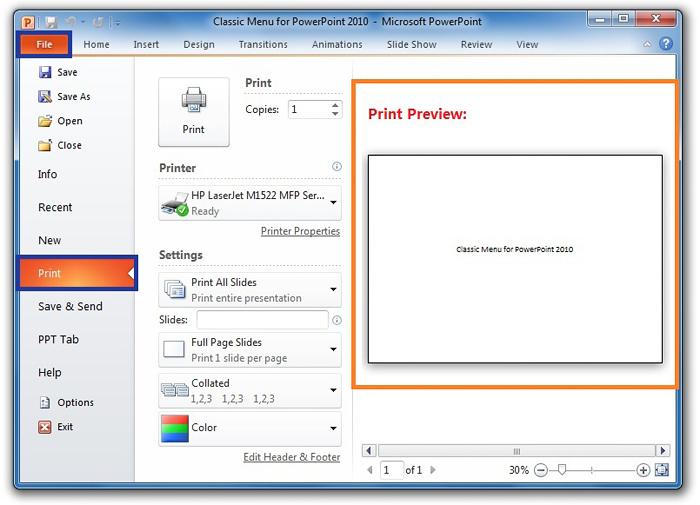
Figure 2
Click to know more Classic Menus...
Method B: Get Print Preview with classic menus if you have Classic Menu for Office
- Select the File drop down menu in main menus;
- Secondly select the Print Preview item;
- Then PowerPoint 2007, 2010, 2013, 2016, 2019 and 365 interface will jump to the backstage view, just the same as figure 2.
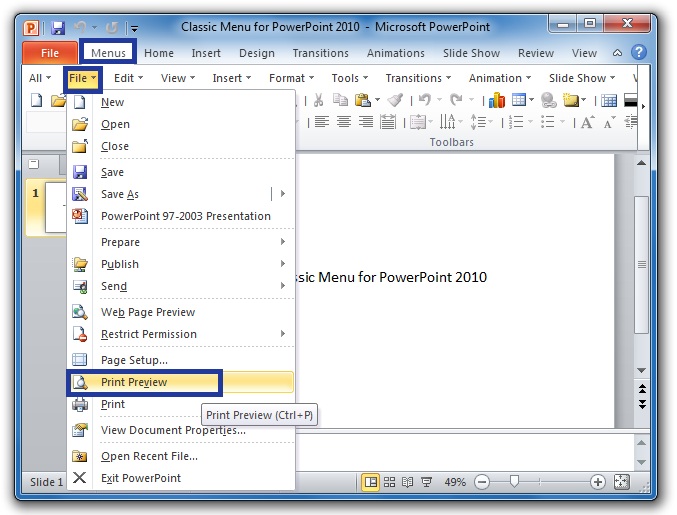
Figure 3
Click to know more Classic Menus...
Get Print Preview in Ribbon in PowerPoint 2010/2007 if you do not have Classic Menu
- Select File tab in PowerPoint 2010; Or Click the Office Button in PowerPoint 2007;
- Go on to click the Print button at left bar;
- Then you will view the backstage view of printing at the right is preview area, just as figure 2 shows.

What is Classic Menu for Office
Brings your familiar classic menus and toolbars back to Microsoft PowerPoint 2007, 2010, 2013, 2016, 2019 and 365. You can use PowerPoint 2007/2010/2013/2016 immediately and efficiently, and don't need any trainings or tutorials when upgrading to Microsoft PowerPoint 2007, 2010, 2013, 2016, 2019 and 365.
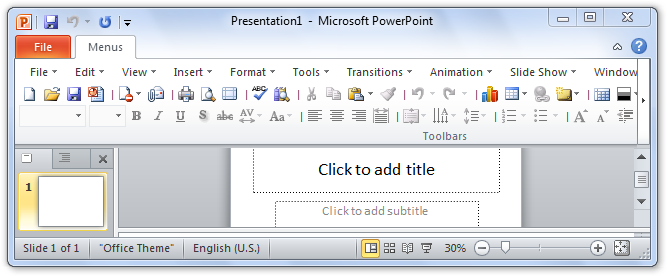
Classic Menu for OfficeIt includes Classic Menu for Word, Excel, PowerPoint, OneNote, Outlook, Publisher, Access, InfoPath, Visio and Project 2010, 2013, 2016, 2019 and 365.
|
||
 |
Classic Menu for Office 2007It includes Classic Menu for Word, Excel, PowerPoint, Access and Outlook 2007.
|