Where is Tools Menu in Microsoft Publisher 2010 and 2013
- Get Tools Menu in Publisher 2010 and 2013 at ease if you have Classic Menu for Office
- If you do not have Classic Menu for Office...
 |
How to Bring Back Classic Menus and Toolbars to Office 2007, 2010, 2013, 2016, 2019 and 365? |
Get Tools Menu in Publisher 2010 and 2013 at ease if you have Classic Menu for Office
It is quite easy to get Tools Menu in Publisher 2010 and 2013 if you have installed Classic Menu for Publisher 2010 and 2013. You can get this feature with the same methods that you did in Microsoft Publisher 2007 and 2003. Just Click the “Menus” tab, and you will view the “Tools” drop down menus.
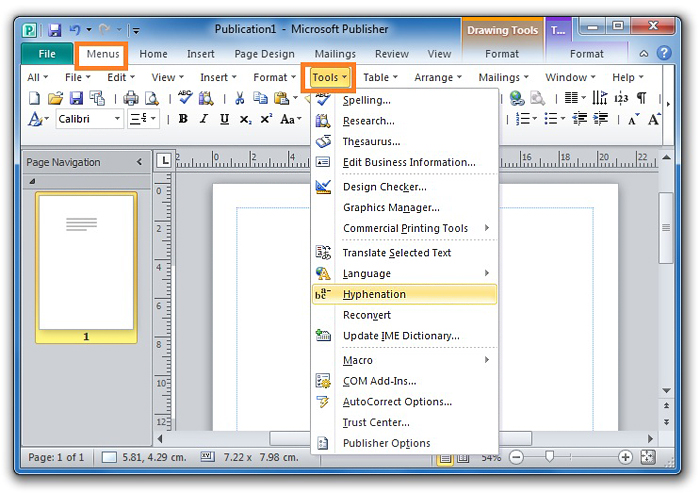
Figure 1
If you do not have Classic Menu for Office...
No more Tools Menu in Microsoft Publisher 2010 and 2013 again, there is even no a “Tools” tab to match with old Tools Menu in the new Ribbon. The features of old Tools Menu are distributed to different tabs:
| NO. | Tools Menu items | Items in Publisher 2010 Ribbon |
| 1 | Research, Thesaurus, Translate Selected Text, Language, and Update IME Diction | Review tab |
| 2 | Edit Business Information, Design Checker, and Commercial Printing | File tab > Info |
| 3 | Graphic Manager | View tab > Show group |
| 4 | Hyphenation | Insert Tab > Link group |
| 5 | Macro and Trust Center | File tab > Options > Trust Center > Trust Center Setting > Macro Setting |
| 6 | Com Add-ins | File tab > Options > Add-ins > Com Add-ins |
| 7 | Customize | File tab > Options > Customizing Ribbon |
| 8 | Auto Correct Option | File tab > Options > Proofing > Auto Correct Options |
In Microsoft Publisher 2010 and 2013, the classic styles menus and tool bars are replaced by the completely new Ribbon. What's worse, some drop down menu items are mixed and they are not grouped together any longer. Obviously these will make our work hard and slowly. Please do not worry about it. Classic Menus for Publisher not only brings used menus and toolbars into new Ribbon, but also adds new features of Publisher 2010 into classic menus. It will save your time, your money, and make you work without hindrance.
More Articles
What is Classic Menu for Office
The Classic Menu for Office 2010, 2013, 2016, 2019 and 365 Brings familiar classic menus and toolbars back to Microsoft Office 2010, 2013, 2016, 2019 and 365. You can use Office 2010/2013/2016 immediately and efficiently, and don't need any trainings or tutorials when upgrading to Microsoft Office (Word, Excel, Visio...) 2010/2013. The screen shot is as following.
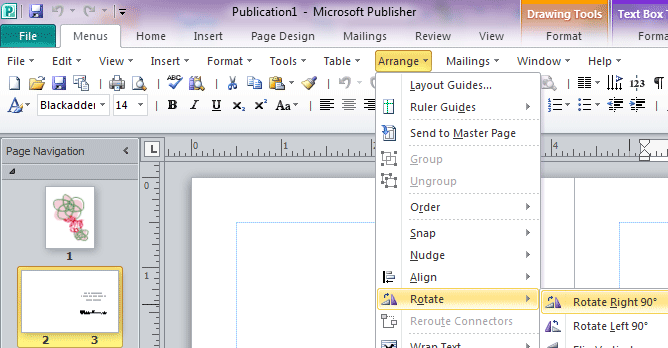
Classic Menu for OfficeIt includes Classic Menu for Word, Excel, PowerPoint, OneNote, Outlook, Publisher, Access, InfoPath, Visio and Project 2010, 2013, 2016, 2019 and 365.
|