


Show Classic Menus and Toolbars on the Microsoft® Office 2007 Ribbon
Classic Menu for Office 2007 v8.05
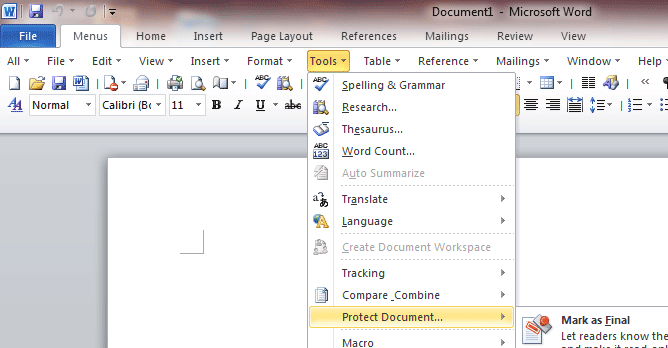
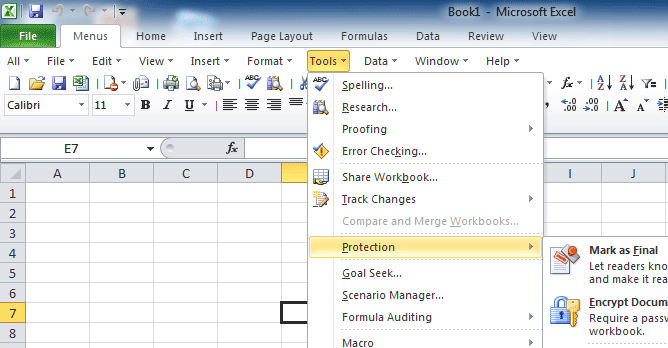
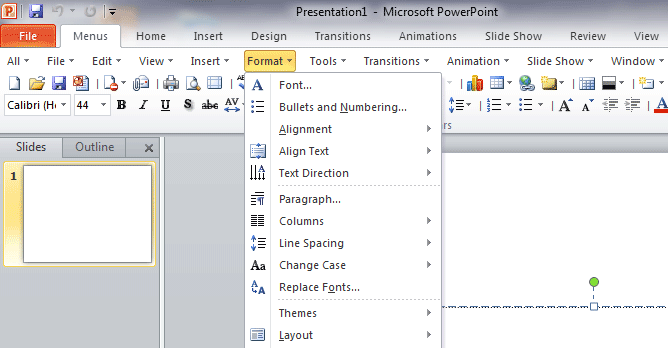
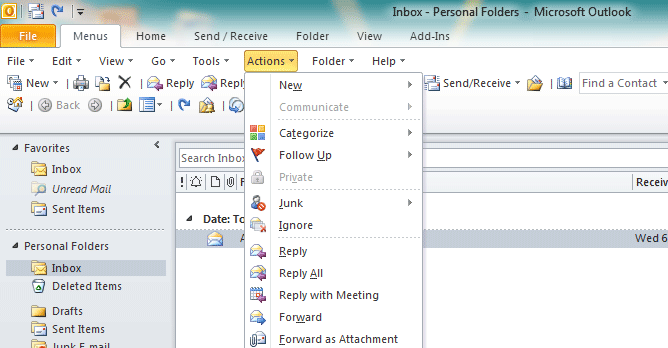
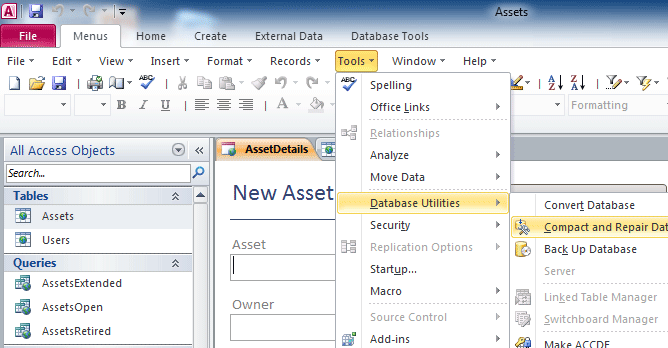
 No Training: The software allows you to work with Office 2007 as if it were Office 2003. It shows the familiar classic menus and toolbars on the ribbon in Microsoft Office 2007. If you were using Office 2003 (or Office XP, Office 2000) before, you don't need training or tutorials after upgrading to Microsoft Office 2007 with this add-in now.
New Features: The new features and commands of Microsoft Office 2007 have been added into the classic style interface. The Office 2007 ribbon tabs are kept intact, so you can truly get the best of both worlds. Find us on Microsoft Office Marketplace!
- Description
- Screen Shots
- Free Download
 |
Easy transition from Office 2003/XP/2000
You don't need any training or tutorials after upgrading to Microsoft Office 2007. You can instantly start working without suffering through the learning curve of finding commands on the Office 2007 ribbon. You can do you job without suffering a productivity drop. |
 |
Learn and Study the Microsoft Office 2007 in Another Way The software will help you to learn and study the Microsoft Office 2007 in another way - traditional user interface. With this way, you can quickly browse and call all features in text mode of menus and don't need to remember position of controls. |
 |
Easy Deploying |
 |
Multi-Languages |
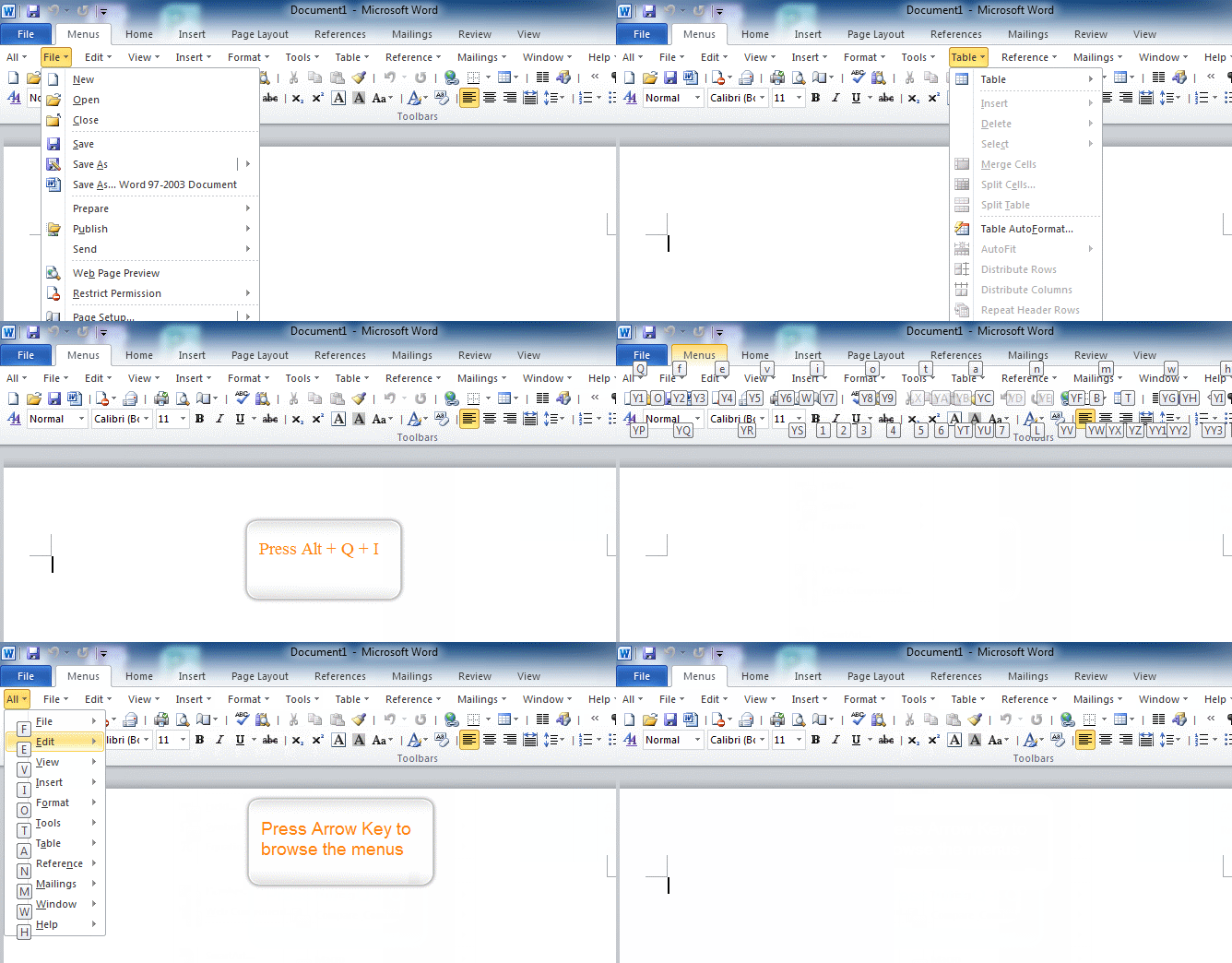
Familiar Keyboard Shortcuts
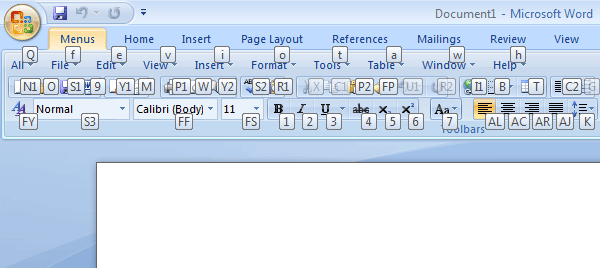
If you were a fan of the Alt shortcuts in Office 2003, those shortcut keys are still available with one modification. Insert Q as the first letter of the shortcut. For example, you could press Alt, T, A one by one to open the Tools, AutoCorrect menu in Excel 2003. In Excel 2007, the shortcut will be Alt, Q,T, A one by one.
 |
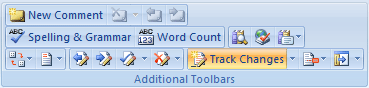
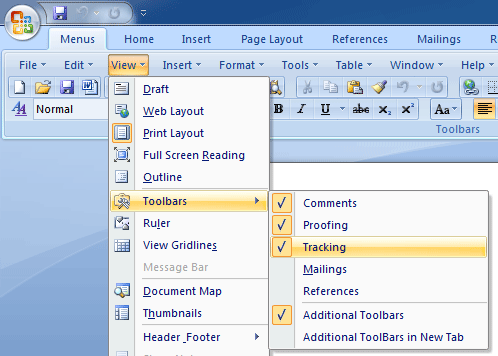
More Toolbars Than Before In addition to supporting the Standard and Formatting toolbars, the current version offers toolbars such as Comments, Proofing, Tracking, Mailings and Reference. You can display these toolbars as needed. |
Products:
Features
|
Software CompatibilityFully compatible with Microsoft® Windows® 11/10/8/7/Vista (32/64), XP, Windows Server from 2003 to latest version (32/64), Windows Terminal (Remote Desktop) Server and Citrix System. The classic menus and toolbars are compatible with all Microsoft Office 2007: |
Editor's Reviews
CNET editors' rating: |
 |
If you find yourself spending way too much time trying to locate frequently-used Microsoft Office commands through its newly designed interface, this program is for you...
- CNET (www.Download.com is a web site of CNET)
Hands on: Show Office 2007 who's the boss
...Sensing an opportunity, third-party software vendors have stepped in with products that either replace or enhance the new Ribbon interface in several Office 2007 applications... Classic Menu adds a tab filled with Office 2003 menus...
- ComputerWorld
Don't get derailed by Office 2007 compatibility issues
#10: Adding on a "classic" user interface... If you want, you can install a third-party add-on that gives you back the old menu bar without sacrificing the new Ribbon. Classic Menu for Office 2007 installs easily...
- TechRepublic
Awards
 |
 |
Keyboard Shortcuts
Price: 22.55 EUR |
Classic Menu for Office 2007Show Classic Menus and Toolbars on the Microsoft Office 2007 Ribbon.
For Enterprise & Organization: Free Download (.msi) | Discount for Volume Licenses
|

| Product | Free Download | Price (USD) | Check Out with PayPal | |
 |
Classic Menu for Word 2007 |
 |
12.05 |
|
 |
Classic Menu for Excel 2007 |
|
12.05 |
|
 |
Classic Menu for PowerPoint 2007 |
|
12.05 |
|
 |
Classic Menu for Access 2007 |
|
12.05 |
|
 |
Classic Menu for Outlook 2007 |
|
12.05 |
|

60-Day Money Back Guarantee
100% satisfaction guarantee. If you are not happy with the product for any reasons, simply send an email to sales@addintools.com within 60 days, and we will happily refund 100% of the cost of the order.
Updates and Support
As a registered user, you are entitled to a fully functional, unrestricted copy of the software, free technical support and free updates (service packs, patches and higher versions of the same software).
Security and Privacy
When you place an online order, your credit card information is sent directly to the credit card processor via a secure (SSL) channel so that no one can intercept your personal data.
We fully respect your privacy and will not collect any of your personal information. The information that you provide will not be made available to third parties.
More Info
 Available Ordering Options Include:
Phone, Invoice, Credit Card, Fax-Credit Card, Bank/Wire Transfer, Check/Money Order, Purchase Order.
Recipient or Licensee
By default, the licensee name will be the same as purchaser’s details when processing the order. If you need the software to be licensed in a different name, unselect the checkbox for "The Recipient or Licensee is the same as the Purchaser"
* Microsoft and the Office logo are trademarks or registered trademarks of Microsoft Corporation in the United States and/or other countries.










